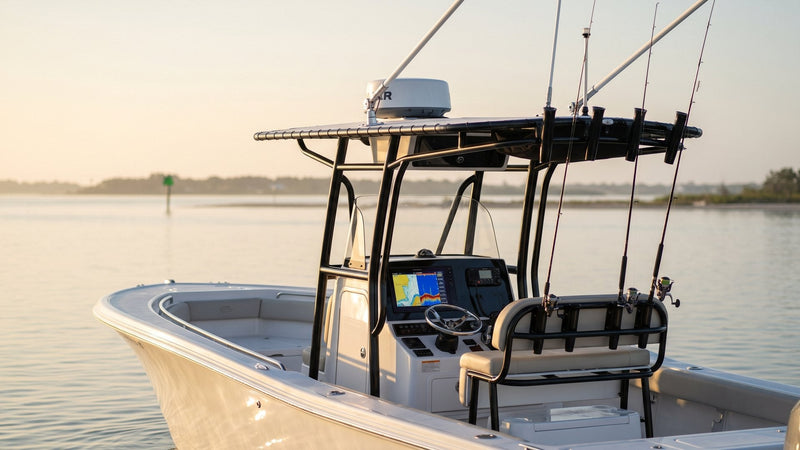
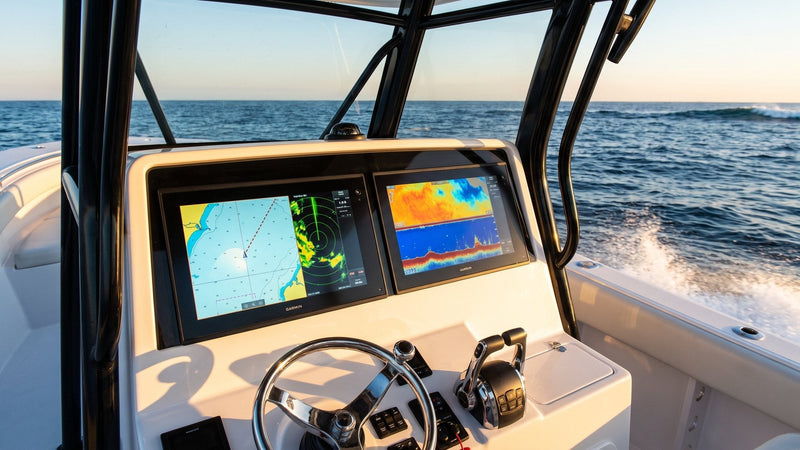
Salt doesn't care how much you spent on your chartplotter. We've pulled apart $3,000 multifunction displays that died at three years old, and we've serviced ten-year-old units on hard-fished offshore boats that still power up clean every morning. The difference almost never comes down to the brand. It comes down to how the owner treated the boat between trips.
Marine electronics fail from the connectors in, not the screen out. The glass is the last thing to go. What kills these units is salt creeping into a backshell, humidity condensing inside a housing overnight, and a slow green corrosion bloom on a NMEA 2000 tee that nobody thought to check. None of that is exotic. All of it is preventable with maybe twenty minutes of habit and a few cheap products. Here's exactly how we do it on our own boats.
Understand How Salt Actually Kills Electronics
Salt itself isn't the whole problem — dry salt is fairly inert. The trouble starts when salt draws moisture out of the air. Salt is hygroscopic, meaning a dusting of dried spray on a connector pin will pull humidity right out of a muggy night and hold a thin film of conductive brine against the metal. That film is what corrodes pins, bridges contacts, and eventually throws the intermittent faults that drive people crazy: a fish finder that drops out over a bump, a VHF that loses transmit power, a plotter that reboots when you hit a wake.
Humidity does its own damage even inland. On the Great Lakes we see condensation corrosion all the time — no salt required. A sealed display that heats up in the sun and cools overnight breathes tiny amounts of damp air in and out through its gaskets. Do that a few hundred times and you get fogging behind the lens and green on the internal board. So this isn't just a saltwater conversation. If your boat lives outside, humidity is coming for it.
Rinse Right — Freshwater Is Your First Defense
Every saltwater trip should end with a freshwater rinse. That part everyone knows. What people get wrong is how.
Do not blast connectors and display seams with a pressure washer. High-pressure water drives salt and moisture past the very gaskets that are supposed to keep it out — we've traced more than one flooded backshell to an owner "cleaning" it with a wand. Use a gentle hose stream or, better, a dedicated salt-dissolving rinse. Salt-Away is the name most people know; the one we keep on our own shelves is Sudbury Salt Gone at $26.99 a gallon, plus the 32 oz spray bottle ($11.49) for spot-cleaning the helm between full washdowns. A salt remover binds the salt so it rinses away instead of drying back onto the surface. Plain water evaporates and leaves the salt behind; that's the whole reason a "rinsed" boat can still corrode.
Wipe displays down with a damp microfiber, then a dry one. Never a paper towel — the wood fiber micro-scratches the anti-glare coating, and once that coating hazes you can't fix it.
Seal and Grease Every Connection
This is the step that separates boats that last from boats that don't. Behind your dash, every plug is a corrosion entry point.
On any exposed multi-pin connector — NMEA 2000 backbone tees, transducer plugs, power leads — we use a light film of dielectric grease. It's non-conductive, so it won't short anything; it simply fills the air gaps around the pins so salt-laden moisture can't sit on the metal. A tube of Ancor dielectric grease costs $9.89 and does an entire boat. Pull each connector once a season, inspect for green, wipe it, add a thin smear, reseat it. Fifteen minutes, and it's the single highest-return maintenance job on the boat.
For terminal blocks, bus bars, antenna bases, and any bare metal fitting, we spray a penetrating corrosion inhibitor. CorrosionX is the classic. What we stock and use is Corrosion Block ($14.69 for a 12 oz aerosol), and for battery terminals we go heavier with CRC Marine Heavy Duty Corrosion Inhibitor ($11.89, 10 oz), which dries to a waxy coat. These films creep into seams and displace water. On a hard-used offshore boat we hit the back of the dash, the battery terminals, and the radar cable gland twice a season. For moving hardware and stainless that needs a drier finish — hinges, latches, antenna mounts — Boeshield T-9 leaves a waxier protective layer that holds up well in spray. Where stainless screws thread into aluminum brackets, we paste the threads with Forespar Lanocote ($17.56 for 8 oz) to stop galvanic seizing.
A word of honesty: CorrosionX is excellent as a displacing, penetrating film, but it stays slightly oily and attracts dust. Boeshield dries firmer but you have to reapply it more often in heavy salt. We use both, in different places. Anyone who tells you one product does everything hasn't spent a season testing them side by side.
Installer Mistakes That Invite Corrosion
Half the corrosion we find wasn't the owner's fault. It got built in on install day. These are the mistakes we rip out most often.
Plain nylon butt splices. A standard crimp connector is an open straw. Water wicks up the strands, and we've cut back wire that was black a foot and a half past the splice. Use adhesive-lined connectors like Ancor 22-10 AWG heat shrink butt connectors ($8.09 for 10) and shrink them until you see glue squeeze out both ends. An Ancor Micro Therm heat gun ($32.49) does it right. A lighter scorches the tubing before the adhesive ever melts.
No drip loop. Every cable entering the back of a display should dip below the connector before rising into it. Skip the loop and rainwater runs down the jacket straight into the plug.
Open NMEA 2000 tee ports. An unused drop on a tee exposes pins that are wired to your whole backbone. Cap it. Ancor sells female and male blanking caps for $6.29 and $6.69; match the cap to the port.
Hardware-store silicone. Acetic-cure silicone, the kind that smells like vinegar, releases acid while it cures and quietly eats the copper underneath. Seal cable entries with a neutral-cure marine sealant.
Our Once-a-Season Connector Service, Step by Step
This is the fifteen-minute job we keep mentioning. Budget forty-five the first time.
- Turn off the battery switch and pull the electronics fuse. Never unplug live connectors.
- Photograph the back of the dash. You will not remember which 7-pin plug went where.
- Unplug one connector at a time. We once spent an hour untangling two swapped transducer plugs on a customer's dual-display rig.
- Inspect the pins with a flashlight. White powder or green crust means corrosion has started; a bent or blackened pin means replace the cable.
- Clean with a spray of CRC Marine QD Electronic Cleaner ($11.19) and a soft nylon brush, then let it flash off completely.
- Wipe a thin film of dielectric grease on the O-ring and around the base of the pins. Thin. Packing the socket full can keep pins from seating.
- Reseat until the locking collar clicks or threads fully home, hand-tight only.
- Spray the terminal blocks and bus bar, restore power, and confirm every device shows up on the network before you close the console.
Cover the Displays — Every Time
UV and salt spray are a tag team on a screen. UV degrades the display's outer coating and fades the bezel; salt spray etches it. A fitted display cover is $30 to $60 depending on unit size and pays for itself the first season. The Humminbird UC H7R2 cover for Helix 7 G4 units is $39.99; Garmin's cover for the GPSMAP 10x2 series comes in under that at $25.49. Buy the one made for your exact model. A universal cover that flaps in the wind scuffs the screen it's supposed to protect. We've measured a real difference in screen clarity at year five between covered and uncovered units of the same model on sister boats.
If your electronics live on an open center console with no hardtop enclosure, covers aren't optional — they're the only thing standing between your $2,500 plotter and a full day of sun-baked salt mist. Put them on at the dock, not "later." Later never comes.
Kill the Humidity Inside the Console
The console cavity is a swamp. Bilge moisture, damp air, and sealed volume — perfect for corrosion on the back of every unit and on your wiring runs.
Two cheap fixes. First, toss a couple of reusable desiccant packs or a small rechargeable dehumidifier canister into the console and under the helm. They pull ambient moisture down enough to matter and you microwave or plug them in to reset. Second, make sure the console actually drains and breathes — a clogged console drain turns the whole cavity into a humidity trap. We've opened consoles where the wiring harness was sitting in a half-inch of standing water the owner never knew was there.
For trailered or dry-stored boats, a 12V dehumidifier rod or a bucket-style moisture absorber in the cockpit under the cover keeps overnight condensation from cycling through your gear. It's the same reason gun safes have them. Boats on shore power in a wet slip can do better: a Davis Air Dryer 500 ($44.49) uses gentle heat to keep dry air moving through a closed cabin or console.
Storage: Where Most Damage Actually Happens
Boats don't corrode fastest when you're using them. They corrode fastest sitting still, especially damp and covered in a hot slip. If you're laying the boat up for more than a couple weeks, pull the fuses or disconnect the batteries so nothing sits energized in a damp environment — energized metal in salt air corrodes faster. Spray the back of the dash with CorrosionX, cover the displays, drop desiccant in the console, and make sure the cover breathes rather than trapping condensation against everything.
For winter layup in the north, the enemy flips from salt to condensation. A shrink-wrapped boat with no ventilation is a terrarium. Leave vents in the wrap, get desiccant inside, and pull removable electronics (handhelds, portable fish finders) into a climate-controlled space.
Quick-Reference Maintenance Schedule
| Interval | Task | Product |
|---|---|---|
| Every saltwater trip | Rinse boat + displays, wipe with microfiber | Salt Gone or Salt-Away, microfiber |
| Every trip | Re-cover all displays at the dock | Fitted display covers |
| Monthly | Wipe connectors, check for green | Visual + microfiber |
| Each season (2x offshore) | Clean, grease, and reseat plug connectors | Electronic cleaner + dielectric grease |
| Each season (2x offshore) | Spray back-of-dash, terminals, glands | Corrosion Block, CorrosionX, or CRC HD inhibitor |
| Each season | Protect stainless mounts, hinges, antenna bases | Boeshield T-9, Lanocote on threads |
| Ongoing | Desiccant in console; confirm drains clear | Desiccant packs / Davis Air Dryer |
| Any rewiring job | Adhesive-lined splices, capped tee ports | Heat shrink butt connectors, blanking caps |
| Layup >2 weeks | Disconnect power, protect, ventilate cover | Corrosion inhibitor + desiccant |
 The Bottom Line
Grease your connectors and cover your screens. If you do nothing else on this list, those two habits will outlast three-quarters of the boats at your marina. The owners who lose a plotter at year three almost always skipped the fifteen-minute connector job and left the screen baking uncovered all summer. The gear itself is tougher than people think — it's the neglect that kills it. Build the rinse-grease-cover routine into how you end a trip, and your electronics will still be earning their keep long after the warranty's a memory.
👉 Shop All Chartplotters at NVN Marine →Frequently Asked Questions
How often should I rinse my marine electronics?
After every saltwater trip, without exception. A gentle freshwater rinse — ideally with a salt-dissolving product like Salt-Away rather than plain water — keeps salt from drying back onto connectors and screens. Plain water evaporates and leaves the salt behind, so the rinse method matters as much as the frequency. Skip the pressure washer; it drives moisture past the seals.
What's the best product to protect marine electronics connectors?
For multi-pin plug connectors like NMEA 2000 tees and transducer plugs, use a light film of dielectric grease — it's non-conductive and fills the air gaps where moisture would sit. For terminal blocks, bus bars, and bare fittings, a penetrating film like CorrosionX displaces water and self-heals. For stainless mounts and moving hardware, Boeshield T-9 leaves a drier, waxier finish.
Can humidity damage electronics even on a freshwater boat?
Yes. Condensation corrosion needs no salt at all. A sealed display that heats in the sun and cools overnight breathes damp air in and out through its gaskets, and over hundreds of cycles that causes internal fogging and board corrosion. Great Lakes and inland boats see this constantly. Desiccant in the console and fitted display covers help on any boat that lives outside.
Do I really need covers if my boat is on a trailer under a carport?
Covers still earn their keep. UV fades bezels and degrades screen coatings even in partial shade, and a carport does nothing for humidity or blowing salt if you launch in saltwater. Fitted display covers run $30–$60 and measurably preserve screen clarity over five-plus years compared to uncovered units. Put them on at the dock every time, not "later."
Should I disconnect my batteries during storage?
For layups longer than a couple of weeks, yes — pull the fuses or disconnect the batteries. Energized metal corrodes faster in damp, salty air, so de-powering your electronics during storage slows corrosion. Pair that with a CorrosionX treatment on the back of the dash, desiccant in the console, and a cover that ventilates rather than trapping condensation.
Why does my fish finder or VHF cut out intermittently?
Intermittent dropouts — a sonar that quits over a wake, a VHF that loses transmit power — are almost always a corroded or loose connector, not a failed unit. Salt film bridges or interrupts contacts at the pins. Pull each connector, inspect for green corrosion, clean it, add a smear of dielectric grease, and reseat it firmly. That fifteen-minute job fixes the majority of electronics complaints we see.