By the NVN Marine Expert Team — Our team has spent 10+ years on the water installing, testing, and troubleshooting marine electronics from the Gulf Coast to the Great Lakes. We're authorized resellers for every brand we review, and we only recommend gear we'd trust on our own boats.
If you've ever watched tournament footage from the last two seasons, you already know what Garmin Livescope did to bass fishing. It didn't just change the game — it exposed everything anglers thought they knew about reading water. The Livescope Plus system took that technology and refined it: sharper imagery at close range, better performance in shallow water, and a transducer (the LVS34) that holds a cleaner picture when the boat is rocking.
We've installed this system on everything from 17-foot aluminum bass boats to 23-foot center consoles, and every time, the first image on screen stops whoever's watching cold. There's a right way to set it up and a wrong way. This guide covers both.
What's in the Garmin Livescope Plus System
The complete Livescope Plus system ships with two main components: the GLS 10 black box sonar module and the LVS34 transducer. You also get a 10-foot transducer cable (extendable to 30 feet with Garmin extension cables) and a network cable to connect the GLS 10 to your chartplotter.
The GLS 10 is the brain. It does all the sonar processing before sending data to your display — that's part of why the image is so clean. The LVS34 transducer replaced the original LVS32 with tighter beam focus and improved shallow water clarity. In practice, the Plus version reads noticeably better at depths under 15 feet, which matters if you're fishing grass flats, shallow docks, or any structure in under 10 feet of water.
 Current 2026 pricing:
- Garmin Livescope Plus System (GLS 10 + LVS34): ~$1,499
- LVS34 transducer only (replacement/additional): ~$1079
- GLS 10 module only: ~$599
- Garmin Panoptix LiveScope Perspective Mount: ~$76
- Garmin trolling motor mount for LVS34: ~$33
System pricing can shift, but those are realistic street numbers. Shop the Garmin Livescope Plus System at NVN Marine for current availability.
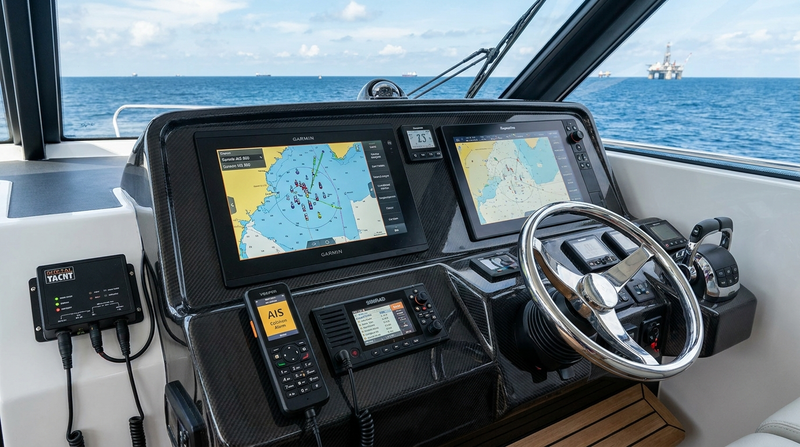
Compatible Chartplotters
Livescope Plus requires a Garmin chartplotter with a Garmin Marine Network (GMN) port. That's not the same as a regular Ethernet port — the cables look identical but the protocol is different. The following displays work:
- GPSMAP 9000 series (9022, 9022sv, 9222, 9622xsv) — best choice for dedicated Livescope use
- GPSMAP 8400/8600 series — excellent all-around, handles Livescope + radar + sonar without lag
- GPSMAP 7x2/7x3 series — works, but the 7-inch screen makes Livescope hard to use practically
- echoMAP Ultra 2 series — compatible, and at a lower price point than the GPSMAP line
- GPSMAP 723/923/1223 — yes, but only one Livescope source at a time without a network switch
The GPSMAP 8622 sits around $8,687 in 2026 and is probably the most common Livescope pairing we see. A lot of serious anglers pair it with the 9022 (street price around $11,631) to get a dedicated Livescope screen and a separate navigation/sonar display.
What won't work: echoMAP Plus series (no GMN port), any Lowrance or Humminbird display (incompatible), Garmin Striker series (also no GMN). Adapters don't fix this — it's a protocol incompatibility, not a connector issue.
Mounting the LVS34 Transducer
This is where most setup errors happen. You have three real-world options.
Option 1: Trolling Motor Mount (Most Common)
Garmin makes a dedicated trolling motor mount for the LVS34 that clamps directly to the motor shaft. This is the right choice for 90% of bass and freshwater anglers. The transducer faces forward by default (Forward View mode), and you steer it by turning the trolling motor.
Mount it with the transducer cable routed up the shaft and zip-tied neatly — leave about 6 inches of slack at the clamp point to allow rotation without straining the connector. We've seen cables fail from being too tight around rotating shafts. It's a slow death: intermittent dropouts first, then complete failure.
Position the transducer 4–6 inches below the waterline. Too shallow and you'll pick up turbulence bubbles; too deep and the forward angle gets choked off. On a standard bow-mount trolling motor, the Garmin mount positions it correctly when the shaft is fully deployed.
Option 2: Perspective Mount (Stern/Transom)
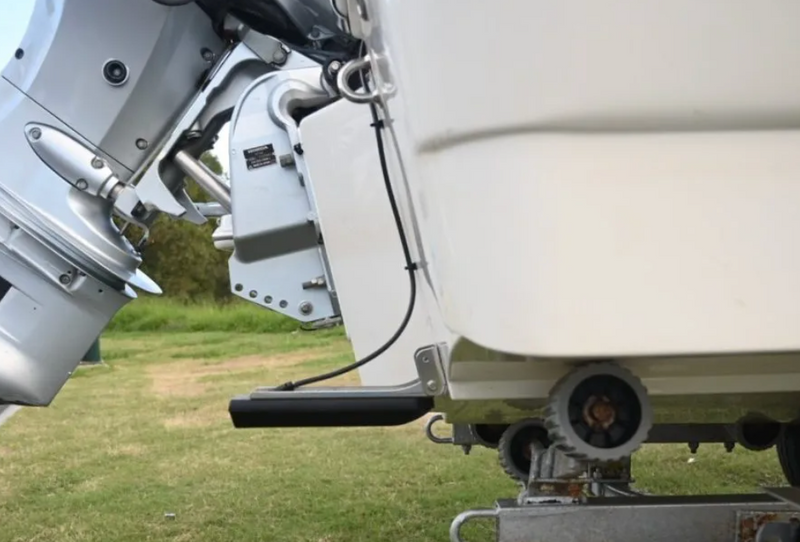
The Perspective View mount attaches to the starboard side of your boat's stern, angling the transducer down and slightly back to give a third-person aerial-style view of the bottom around the boat. This is particularly useful for open water and structure fishing where you're not working a trolling motor.
Mounting here requires drilling through the gunwale or using a clamp-style bracket. The transducer itself stays stationary, so you lose the ability to pan the view — it shows a fixed cone below and behind the boat. We prefer this setup on crappie rigs and walleye boats where forward-looking is less critical.
Option 3: Pole/Stick Mount
Some anglers build custom pole mounts off the bow or midship. As long as the transducer has a clear water view with no interference from the hull, this can work. Not our recommendation for most boats — it adds complexity without meaningful benefit unless you have a specific layout reason.
Installing the GLS 10 Black Box
The GLS 10 is the size of a thick paperback book. It needs to go somewhere dry, relatively cool, and accessible for wiring. Common locations: rod locker, under the console, in a factory electronics panel, or behind the dash.
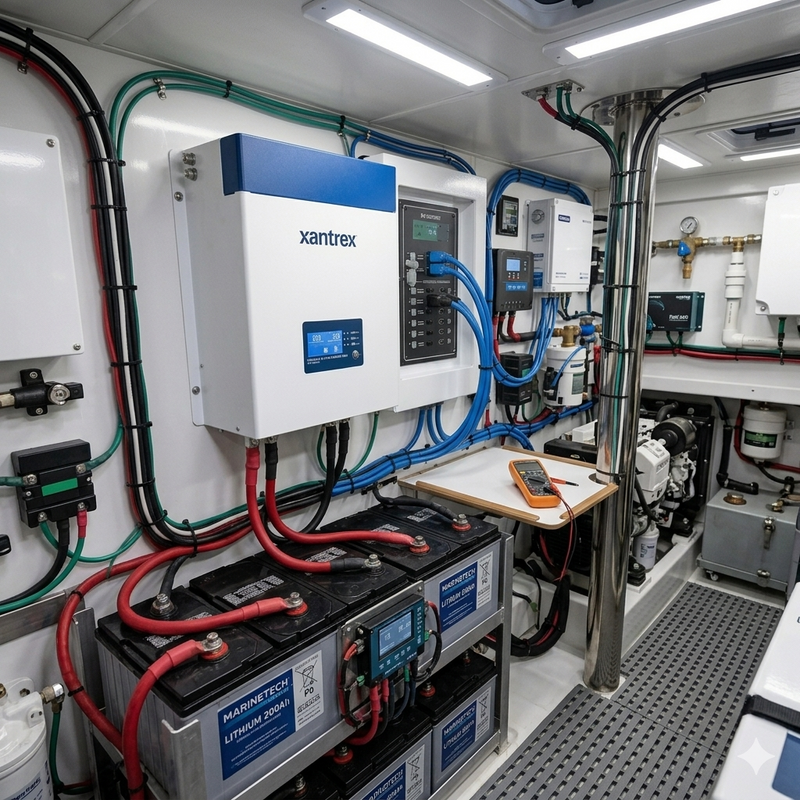
Power connection: 12V DC, 2.5A draw. Use a 5-amp inline fuse, and run directly from your battery or distribution panel — not daisy-chained off other electronics. Power issues are the number-one cause of Livescope image instability. If your sonar is freezing or resetting randomly, check your power supply before anything else.
Network connection: Run the Garmin Marine Network cable from the GLS 10 to your chartplotter's GMN port. Keep the total cable run under 30 feet from GLS 10 to display — longer than that and you start seeing latency and image corruption. Garmin sells 15-foot and 30-foot extension cables; you can daisy-chain them, but stay under the 30-foot total.
Transducer cable: Route it from the LVS34 through the bilge or along the gunwale to the GLS 10. Use chafe protection wherever the cable passes through bulkheads.
Initial Setup and Calibration on the Chartplotter
Power everything on and navigate to Sonar > LiveScope on your Garmin display. If the system doesn't auto-detect the GLS 10, go to Settings > System > System Information > Network Devices and check whether the module appears. If it doesn't show there, your network connection or power is the issue — not the software.
Once detected, you'll choose between Forward View and Perspective View modes. Forward View is the trolling motor mount setup; Perspective View is for the stern mount.
Key settings to tune:
- Gain: Start at 50%, then bring it up until you can see fish and structure without the background filling with noise. Too high and everything looks white.
- Depth Range: Set it manually rather than auto. For shallow water docks and grass, 30–40 feet forward range is practical. In open water deeper than 20 feet, you can push to 60–80 feet.
- Contrast: Higher contrast sharpens target definition. We run ours around 65%.
- Color Palettes: “Classic” is the default blue/green palette. “Blue Water” is easier on the eyes in direct sunlight. “Gray Scale” is useful for quickly reading structure.
Interference: If you're running Livescope alongside a traditional 2D sonar or CHIRP unit, you may see cross-interference. Switch your non-Livescope sonar to a different frequency range, or pause it when using Livescope heavily.
Forward View vs. Perspective View: When to Use Each
Most anglers who buy Livescope Plus end up using Forward View 80% of the time. It's the trolling motor mount configuration where you can see fish and structure ahead of the boat in real time. Watching a bass swim toward your lure changes how you work baits entirely.
Perspective View is excellent for:
- Mapping specific spots while making repeated passes
- Watching structure at anchor
- Crappie fishing over brush piles when you want to see the whole school
You cannot use both simultaneously from a single GLS 10 — it's one mode at a time. Some tournament anglers run two complete Livescope systems to have both views active at once. For most people, one well-mounted system in Forward View mode is the right call.
Common Problems and Fixes
Blank or frozen screen: 99% of the time, this is a power issue. Check voltage at the GLS 10 during operation. Under 11.8V and you'll see problems. Bad grounds are also common — ground runs to the battery, not a hull bolt.
Image is grainy or washed out at depth: Gain is set too high. Back it off. Also check that your transducer is fully submerged and not picking up cavitation from the trolling motor prop wash.
False bottom readings at speed: The LVS34 is not designed for on-plane imaging. At speeds above 8–10 mph, expect the image to degrade or disappear. Your traditional transducer is still the right tool at speed.
Network dropouts while underway: Check that all network cable connections are fully locked. The Garmin Marine Network connectors need to click firmly — partial connections work at idle and drop out under vibration.
Transducer keeps shifting on trolling motor: Tighten the mount clamp, and add a small piece of rubber shim if your shaft is an unusual diameter. Common on older Minn Kota motors where shaft surface corrosion prevents full grip.
Bottom Line

The Garmin Livescope Plus system is one of the most impactful pieces of marine electronics you can add to a fishing boat. The setup complexity is real — it's not plug-and-play — but once it's installed and dialed in, it changes how you fish. We've watched anglers catch fish in 10 minutes on spots they'd blanked for years, simply because they could finally see what was happening underwater.
For most freshwater anglers, we'd recommend pairing it with a GPSMAP 9022 or 8622 for the screen real estate. If budget is tighter, the echoMAP Ultra 2 in the 10-inch size handles Livescope well at a lower price point.
Install it right, power it correctly, and give yourself a couple of outings to learn the imagery. The learning curve is real but short.
Shop Garmin Livescope Plus at NVN Marine →
FAQ
What chartplotters are compatible with Garmin Livescope Plus?
Livescope Plus requires a Garmin chartplotter with a Garmin Marine Network (GMN) port. Compatible models include the GPSMAP 9000 series, GPSMAP 8400/8600 series, GPSMAP 7x2/7x3 series, echoMAP Ultra 2 series, and GPSMAP 723/923/1223. Lowrance, Humminbird, and Raymarine displays are not compatible. The echoMAP Plus and Garmin Striker series also lack the GMN port and won't work with Livescope Plus.
What is the difference between the original Garmin Livescope and Livescope Plus?
The Livescope Plus system uses the LVS34 transducer instead of the original LVS32. The LVS34 delivers notably improved clarity in shallow water (under 15 feet), better image stability, and cleaner target separation at close range. The GLS 10 black box is also updated with improved processing. If you're buying new in 2026, get the Plus system — the original has been largely discontinued.
Can I use Garmin Livescope Plus without a trolling motor?
Yes. The Perspective View configuration uses a stern or transom mount, so no trolling motor is needed. You won't have the ability to pan the view, but the downward perspective mode works well for stationary fishing over structure, anchoring situations, and open-water applications. Garmin also makes custom pole and clamp mounts for bow positioning without a trolling motor.
What is the maximum depth range for Garmin Livescope Plus?
In Forward View mode, Livescope Plus has a maximum range of 200 feet forward. In Perspective View, it reaches approximately 200 feet downward. In practice, image quality degrades significantly past 100 feet forward. Most anglers fish it in the 20–80 foot range where it performs best. It's not designed for deep-water offshore use.
How do I reduce noise and interference on my Garmin Livescope screen?
Start by lowering the gain setting — factory default is often too high. If you're seeing electrical noise or consistent interference patterns, check your power supply: the GLS 10 needs clean 12V power with a solid ground run directly to the battery. Running the unit off the same circuit as a trolling motor or bilge pump commonly causes interference. Also check for frequency conflicts with any simultaneously running traditional sonar units.
Can I run Garmin Livescope Plus on a 7-inch screen?
Technically yes — the GPSMAP 723 and echoMAP Ultra 2 7-inch models are compatible. In practice, 7 inches is frustratingly small for Livescope. The detail that makes the system valuable — watching individual fish and lures — is difficult to read on a small screen, especially in sunlight. A minimum 9-inch display is recommended, and ideally a 12-inch dedicated Livescope screen if budget allows.