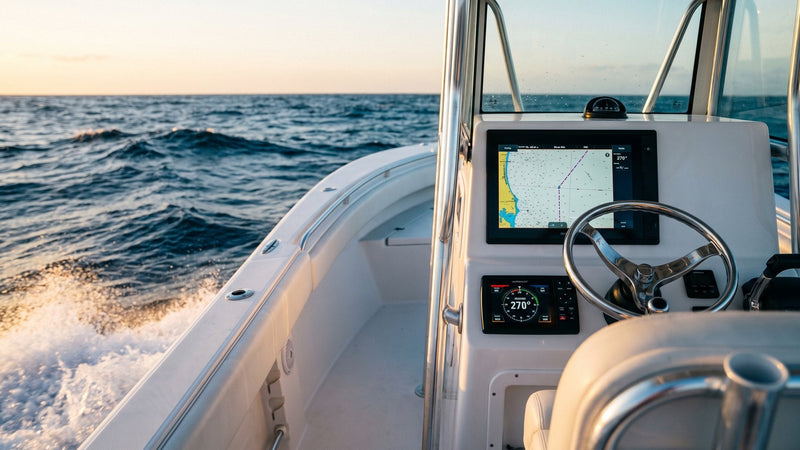
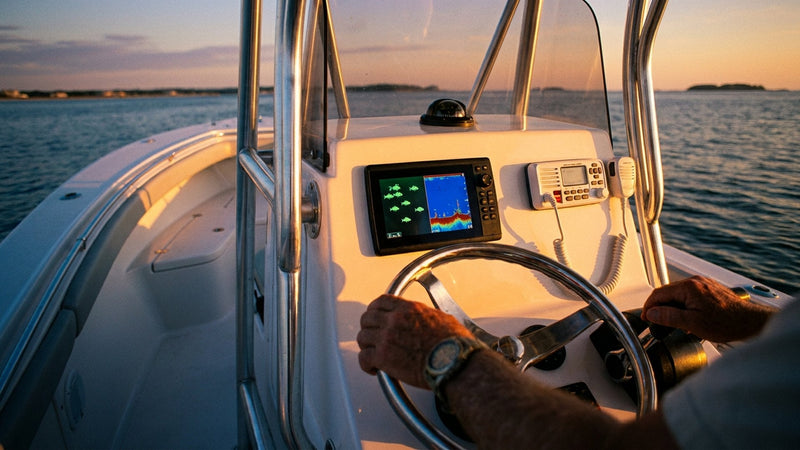
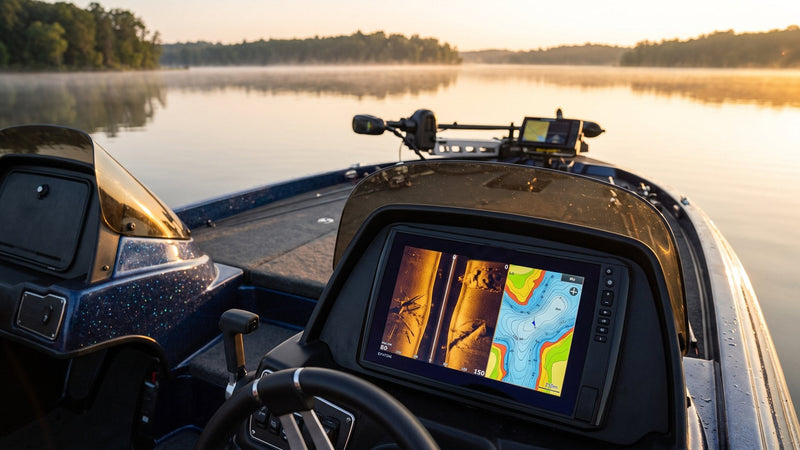
An NMEA 2000 network is a single shared data cable on your boat. It is a terminated backbone of T-connectors and cables, powered at 12 volts, that lets your chartplotter, GPS antenna, depth sensor, autopilot, AIS, engine and other certified devices talk to each other at 250 kbps, no matter which brand made them.
That's the one-sentence answer. The rest of this guide is the part that keeps your network from throwing "no data" alarms at 6 AM. You'll learn the five parts every backbone needs, the hard limits on length and device count, where to put the power, how to check your terminators with a $20 meter, and how Garmin, Lowrance, Simrad, B&G and Raymarine cables fit together.
We rig these networks every week. Most problems we get called out for come down to three things: a missing terminator, power connected in two places, or a backbone someone routed through the top of a T. All three are avoidable.
What an NMEA 2000 network is, in plain terms
NMEA 2000 is a marine data standard from the National Marine Electronics Association. It's built on CAN bus, the same kind of network your truck uses. According to the NMEA, the network is multi-master and self-configuring, and there is no central network controller. Every device can talk and every device can listen.
Here's what that means on the boat:
- One cable run instead of a rat's nest. Your GPS antenna feeds position to the chartplotter, the VHF and the autopilot over the same backbone.
- Brands mix. All products that read or transmit NMEA 2000 data must be certified by NMEA, so a Garmin display can show depth from a Lowrance sensor.
- It's much faster than the old standard. NMEA 2000 runs at 250 kbps. NMEA 0183 runs at 4,800 baud by default, or 38,400 baud on high-speed ports built for AIS (Raymarine; Yacht Devices).
One limitation up front: NMEA 2000 carries data like position, heading, depth, wind, AIS targets, engine and battery data. It does not carry radar imagery or sonar video. Those still run over the brand's own Ethernet network.
The five parts of every NMEA 2000 network
Every network, from a bass boat to a 50-foot sportfisher, is built from the same five parts.
| Part | What it does | Rule you can't break |
|---|---|---|
| T-connector | Three-way fitting. Two sides carry the backbone; the top takes a device or power. | The backbone never runs through the top of a T. |
| Backbone cable | Extends the backbone between T-connectors in different parts of the boat. | Connects only to the sides of T-connectors. |
| Drop cable | Connects one device to the top of a T-connector. | 6 m (20 ft) maximum. |
| Power cable | Feeds 12 V DC into the network. | One power connection per network, through a switch. |
| Terminators | 120-ohm resistors that cap each end of the backbone. | Exactly two. One at each end. |
Source: Technical Reference for Garmin NMEA 2000 Products.
The simplest working backbone is three T-connectors snapped side to side, a male terminator on one end, a female terminator on the other, and a power cable on the middle T. That's a real, legal network. Everything bigger is the same idea with longer cable between the T's.
NMEA 2000 network limits: length, drops, and device count
These four numbers come straight from the manufacturer install guides. Write them on the inside of the console door.
| Limit | Micro (light) cable | Mini or Mid cable |
|---|---|---|
| Max distance between any two points | 100 m (328 ft) | 250 m (820 ft) |
| Max single drop cable | 6 m (20 ft) | |
| Max total of all drop cables | 78 m (256 ft) | |
| Max physical devices | 50 | |
Sources: Maretron Network Installation Guide; Garmin Technical Reference.
Garmin measures the 100 m figure from terminator to terminator, then adds the drop cables on the T-connectors at each end. On a recreational boat under 60 feet, you will almost never hit the length limit. You're far more likely to hit the power limit, which we cover next.
Our take on the 50-device cap: it's generous on paper, but every sensor, display, engine gateway and battery monitor counts. A loaded offshore boat with twin engines, two MFDs, a radar heading sensor, AIS, autopilot, wind, depth, fuel flow and tank senders can get to 20-plus devices fast. Plan your T-connectors with spares.
How to build an NMEA 2000 network, step by step
Here's the order we follow on a new install.
- List every device and its LEN. LEN is the Load Equivalency Number printed on the device or in its manual. One LEN equals 50 mA. You need these numbers for the power math.
- Sketch the boat and mark device locations. Helm, transom, mast, engine room. The backbone should run past all of them in one line, with no branches.
- Lay the backbone first. Snap T-connectors together side to side where devices cluster. Use backbone cables to bridge the gaps. A Garmin cable up to 6 m can serve as a backbone or a drop; anything longer is backbone only.
- Cap both ends. A male terminator on one end, a female on the other, each on the side of the last T-connector. Never on the top of a T.
- Add the power cable to the top of a T. Run it through a switched, fused 12 V circuit. Where it goes depends on the voltage-drop math below.
- Connect devices with drop cables. Each drop goes from the top of a T to the device. Keep each drop at 6 m or less, and track the running total against the 78 m cap.
- Test before you button up. Check terminator resistance with power off, then power up and confirm every device shows in your MFD's device list.
Install note: a 2 m Garmin power cable (010-11079-00) ships with a 3 A fuse. Don't swap in something bigger to stop a fuse from blowing. Find out why it's blowing.
Where to connect NMEA 2000 network power
This is where most DIY networks go wrong. Garmin's technical reference spells out the rules:
- 12 V only. Connecting the network to 24 V, or any source above 12 V DC, can damage devices on the network. NMEA 2000 devices are built to run from 9 to 16 V DC, 12 V nominal.
- Through a switch. Wire power through the ignition or an auxiliary switch. Some devices stay on whenever the backbone has power, and they will drain your battery at the dock.
- One power connection. Don't power the network in two places unless there's a power isolator between them. Some engines feed power to the backbone, and that can count as a second source.
- Top of a T, never the side.
The voltage-drop check: end power or middle power?
For the network to work, the voltage drop between the powered T-connector and the farthest device must not exceed 1.67 V DC. Garmin gives this formula:
Voltage drop = cable resistance (ohms/m) × distance to farthest device (m) × total LEN × 0.1
Garmin uses 0.053 ohms per meter for its cable. Here's Garmin's own worked example: power at one end, farthest device 22 m away, devices totaling 14 LEN. That's 0.053 × 22 × 14 × 0.1 = 1.63 V. It passes, barely.
Add 2 m and 2 LEN to the same layout (24 m, 16 LEN) and you get 2.04 V. It fails. Garmin's fix is to move the power to the middle of the backbone. Calculated in each direction, the drops fall to 0.30 V and 0.80 V.
The rule of thumb we use: if the boat has more than a handful of devices or the backbone runs from helm to transom and up a tower, power it near the middle. It costs you one extra T-connector and saves a lot of chasing ghosts later.
How to check NMEA 2000 terminators with a multimeter
Each terminator is a 120-ohm resistor, and you need exactly two. Garmin is clear: never install more than two terminators on one network.
Two 120-ohm resistors in parallel measure 60 ohms. So with the network powered off, measure across the two data wires (CAN-H and CAN-L) at any open T-connector, using the pinout in your device's manual. Here's how to read it:
| Reading | What it usually means |
|---|---|
| About 60 ohms | Two terminators, both in place. Good. |
| About 120 ohms | One terminator missing or a broken backbone. |
| About 40 ohms | Three terminators. Some devices have one built in. Find it. |
| Open or near zero | No termination, or a shorted connector. Inspect pins for corrosion and water. |
Limitation: a correct 60-ohm reading tells you termination is right. It does not tell you the backbone voltage is healthy or that a device is sending clean data. For that, you need a dedicated diagnostic tool such as the Maretron N2KMeter. Most owners won't need one. Most installers should own one.
Mixing brands: Garmin, Lowrance, Simrad, B&G and Raymarine on one NMEA 2000 network
Electrically, the brand networks are all NMEA 2000. The difference is mostly the plug.
- Garmin uses standard NMEA 2000 micro connectors on all its cables and connectors.
- Lowrance N2KEXT extension cables, like the Lowrance N2KEXT-15RD 15 ft cable, are sold as NMEA 2000 cables for its displays and sensors.
- Simrad and B&G older gear uses the SimNet connector. An adapter like the Simrad SimNet to NMEA 2000 adapter cable lets a SimNet device join a standard backbone.
- Raymarine uses SeaTalk NG: blue backbone cables, white spur (drop) cables, smaller plugs with no locking collar. Raymarine sells NMEA 2000 adapter cables, and SeaTalk NG cables also carry an extra wire for older SeaTalk 1 gear (Raymarine).
One more mix you'll run into: Garmin points out that some existing networks use larger mini connectors in the backbone. Mini and micro won't mate without a converter.
Our opinion: pick one brand's cable system for the backbone and use adapters only at the device end. A backbone that changes plug type three times is a backbone with three extra places for salt to get in.
NMEA 0183 gear is a different story. It is not electrically compatible with NMEA 2000, so an older VHF or AIS with 0183 wires needs an active gateway, not just an adapter cable.
Common NMEA 2000 network mistakes we fix
- Backbone through the top of a T. It might work for a while. Then it doesn't. Backbone goes side to side only.
- Terminator on a drop cable. A terminator belongs on the side of the last T, not at the end of a drop.
- Network wired straight to the battery. Always-on devices flatten the battery over a long weekend at the dock.
- Two power sources. An engine gateway or second power cable feeding the backbone without an isolator.
- Field connectors packed with water. Fit field-installable connectors carefully and keep connectors out of bilge spray. If you've read our guide on protecting marine electronics from salt and humidity, the same rules apply here.
- "Spare" T-connectors with nothing capping the open top. Use a cap or keep the open port dry and out of the weather.
Parts list for a basic NMEA 2000 network
For a small center console with one MFD, a GPS antenna, a depth/temperature sensor and a VHF, here's a typical starter backbone using Garmin parts:
- 4 × Garmin NMEA 2000 T-connector (
010-11078-00), one per device plus one for power - 1 × Garmin NMEA 2000 male terminator (
010-11080-00) - 1 × Garmin NMEA 2000 female terminator (
010-11081-00) - 1 × Garmin NMEA 2000 power cable (
010-11079-00) -
Garmin NMEA 2000 backbone cable, 2 m (
010-11076-00) as needed to reach devices away from the helm
Many MFDs and sensors include a drop cable and sometimes a starter kit. Check what's in the box before you order extras. Not sure what fits your boat? Call a tech at (212) 688-0550. We're NMEA certified and we install what we sell.
NMEA 2000 network FAQ
What is an NMEA 2000 network?
An NMEA 2000 network is a CAN-based marine data network. It's a single terminated backbone, powered at 12 V, that lets certified chartplotters, sensors, autopilots, radios and engines from different brands share data at 250 kbps.
How many devices can you put on an NMEA 2000 network?
Up to 50 physical devices, according to Maretron and Garmin install guides. Power is usually the real limit, so add up every device's LEN before you add more.
How long can an NMEA 2000 backbone be?
Up to 100 m (328 ft) between any two points using micro cable, or 250 m (820 ft) using mini or mid cable. Each drop cable is limited to 6 m (20 ft), and all drops together can't exceed 78 m (256 ft).
Do I need two terminators on an NMEA 2000 network?
Yes. You need exactly two 120-ohm terminators, one at each end of the backbone. With power off, a properly terminated network reads about 60 ohms across the data wires.
Can an NMEA 2000 network have more than one power source?
Not directly. Use one power connection per network. If a device such as an engine also feeds power to the backbone, Garmin's answer is a power isolator between the two power connections.
Can I power an NMEA 2000 network from 24 volts?
No. Connect the network to a 12 V DC source only. Garmin warns that 24 V or anything above 12 V can damage network components and devices. On a 24 V boat, use a proper 24-to-12 V converter.
What does LEN mean on NMEA 2000 devices?
LEN is the Load Equivalency Number, a measure of how much current a device draws from the backbone. One LEN equals 50 mA. You use the LEN total to calculate voltage drop and decide where to connect power.
Are SeaTalk NG and SimNet the same as NMEA 2000?
Electrically, yes. Raymarine SeaTalk NG and Simrad SimNet carry NMEA 2000 data but use different connectors. Adapter cables let them join a standard NMEA 2000 backbone.
Can I connect NMEA 0183 devices to an NMEA 2000 network?
Not with a plain cable. NMEA 0183 and NMEA 2000 are not electrically compatible, so you need an active gateway that translates between them.
The bottom line
An NMEA 2000 network is simple if you respect four rules: one straight backbone, two terminators, one switched 12 V power feed, and drops of 6 m or less. Do the voltage-drop math once and write it down. Check for 60 ohms before you close the console. Do that, and the network is the last thing on the boat you'll have to think about.